







pageo
  • Pricing
  • Profiles
Sign inStart free
pageo

Your links, your work, and every message, on one page.

Product

  • Features
  • Pricing
  • Templates
  • Examples
  • Top profiles
  • Integrations
  • Free tools
Compare
  • Linktree
  • bio.fm
  • Beacons
  • Campsite.bio
  • Taplink
  • Lnk.Bio
  • Linktree alternatives
  • Alternatives

Resources

  • Docs
  • Changelog
  • Blog
  • Glossary
  • Link in bio guides
  • Who it's for

Company

  • About
  • Contact
  • Follow onX

© 2026 pageo

  • Terms
  • Privacy
  • Content policy
PAGEO
PAGEO
  1. Who it's for
  2. Developers

A link in bio you can commit to.

Keep your profile in a pageo.json file, push it to GitHub, and your page updates. Show your contribution graph next to your projects, on your own domain.

pageo.me/
alex
pageo.me/arjunrao

Arjun Rao

Backend engineer

I build boring, reliable APIs. Maintainer of two open source queues, writing about Postgres and the things that break at 3am.

GitHubXLinkedIn
GitHubarjunrao
FebMarAprMayJunJulAugSepOct

2,104 contributions in 2026

My links

pgqueue, a job queue on Postgresgithub.com/arjunrao/pgqueue
Notes on running Postgres at scalearjun.dev/notes
Join arjunrao on pageo

Arjun Rao

Backend engineer

I build boring, reliable APIs. Maintainer of two open source queues, writing about Postgres and the things that break at 3am.

GitHubXLinkedIn
GitHubarjunrao
FebMarAprMayJunJulAugSepOct

2,104 contributions in 2026

My links

pgqueue, a job queue on Postgresgithub.com/arjunrao/pgqueue
Notes on running Postgres at scalearjun.dev/notes
Join arjunrao on pageo

Step by step

Set up a page as a developer

  1. 1

    Claim your username and add GitHub, dev.to, Stack Overflow, and Mastodon as social links.

  2. 2

    Open the Contribution graph dialog in the editor and add your GitHub username.

  3. 3

    Add your main repository as a grid link and pin it as your primary link.

  4. 4

    Move the contributions section above your links in the Layout panel.

  5. 5

    Optional: create a repository named pageo with a pageo.json file and add the webhook, so every push updates the page.

pageo.me/arjunrao
Arjun RaoBackend engineer
pgqueue, a job queue on PostgresNotes on running Postgres at scale

At a glance

Free
Links, contribution graph, layouts, and GitHub sync
With Pro
Custom domain, all-time analytics, and a contact form
Sections that fit
Social links, contributions, grid links

Built the way you already work

Your profile is a file

Keep a pageo.json file in a repository named pageo on your GitHub account. Every push to main updates your page, and git log is your history.

Your graph, on your page

Add your GitHub username and your contribution graph sits next to your links, so visitors see what you ship before they click.

Your domain, your terminal

With Pro, point a subdomain like links.you.dev at your page with a TXT record and a CNAME. pageo checks the DNS until it connects.

Built in

What your page can do

Maya Chen

Product designer

I design calm software for small teams. Writing about interfaces, shipping icon sets, and running a design workshop every season.

XGitHubLinkedInInstagramMedium
GitHubmayachen
FebMarAprMayJunJulAugSepOct

1,482 activities in 2026

My links

Calm Interfaces, the workshopmaya.studio/workshop
Line icons, 400 and countinggumroad.com/maya

Deep work, a playlist

Maya Chen

1Slow mornings
2Grid systems
3Quiet hours
Open in Spotify
Join mayachen on pageo

Bio page

One clean page, every link you share.Explore
Plan
Status
Custom Domain
Page
Grow
Account

Custom domains

maya.studio

Add the following DNS records to your domain provider. DNS changes may take a few minutes to propagate.

Verification record

type:TXT
host:_pageo-verification
value:pageo-verify=7f3c9a2e41b8

Routing record

type:A
host:@
value:216.198.79.1
Note: We verify automatically every few seconds. The process usually takes around 5–10 minutes to complete, depending on DNS propagation.

Custom domains

Run your page on a domain you own.Explore
Plan
Status
Custom Domain
Page
Grow
Account

Analytics

How visitors find your page and what they open.

Visitors2,841
Page views4,107
Link clicks1,392

Visitor trends

Oct 2 - Oct 8

MonTueWedThuFriSatSun

Top performing links (3)

Most clicked links from your profile

Dribbbledribbble.com/maya418 clicks
Calm Interfaces, the workshopmaya.studio/workshop356 clicks
XXx.com/mayachen241 clicks

Analytics

Visitors, clicks, and forms in one view.Explore

Common questions

  • Create a repository named pageo on your GitHub account with a pageo.json file, then add the webhook from the GitHub settings in your admin. pageo reads the file on every push to main.

  • Yes. A profile can come from the editor or from GitHub. The editor is the default, and you can link GitHub at any time.

  • GitHub, GitLab, Stack Overflow, dev.to, Hashnode, CodeSandbox, Mastodon, and itch.io, along with the usual social networks.

  • Yes. GitHub sync and the contribution graph are on the free plan.

From the blog

A pageo profile with social links, a GitHub activity graph, and a grid of links

Product

Jan 13, 2026

What is pageo? A minimal, developer-friendly link-in-bio tool

pageo is a fast link-in-bio page with forms, one inbox, an audience you can email, and analytics. Manage it in the editor or as code with GitHub sync.

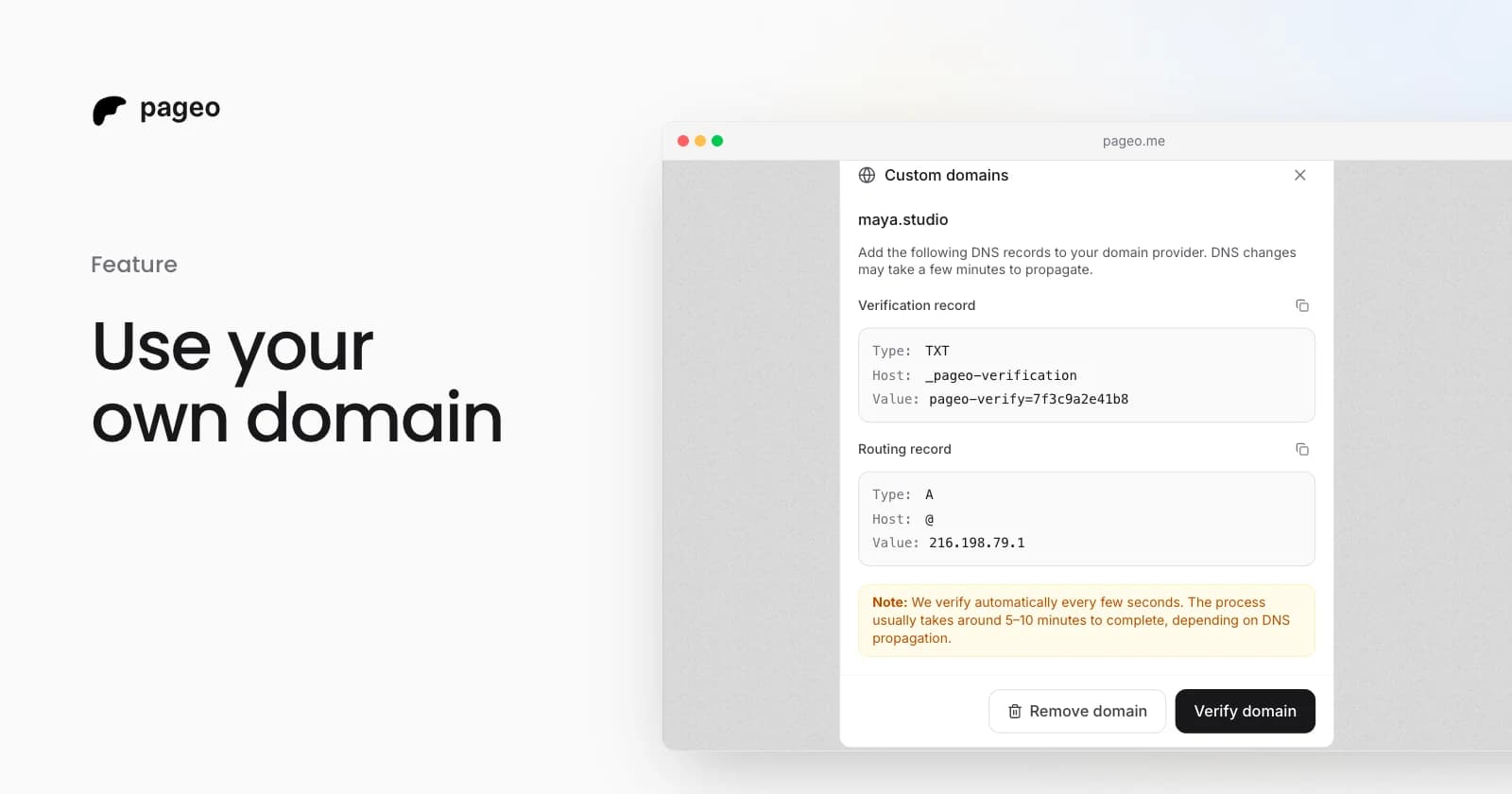
The pageo custom domains dialog with the DNS records to add

Feature

Feb 19, 2026

Custom domains are here: use your own URL for your link-in-bio

Connect your own domain to your pageo profile. Add two DNS records, let pageo verify them, and share a branded URL like links.yourname.com.

Keep exploring

Related

  • Examples for developers
  • GitHub integration
  • Link in bio for GitHub

Who it's for

  • Designers
  • Creators
  • Musicians
  • Podcasters
  • Freelancers
  • Photographers
  • Small businesses
  • Coaches
  • Real estate agents
  • Restaurants
  • Artists
  • Writers
  • Students
Instagram
GitHub

Your whole internet, one link.

Claim your page in under a minute. No card needed.
pageo.me/
alex